MostSave – Secure Offline Password Manager
MostSave is a privacy-first password manager that stores all your passwords locally on your device in fully encrypted form. No servers, no tracking, complete control.
Key Highlights
100% Offline & Private
MostSave operates entirely offline. No password or account data ever leaves your device. No internet permission, no tracking, no external server.
Strong Encryption
Uses SQLCipher (AES-256) database encryption. Your master password is never stored in plain text. Includes biometric unlock, PIN, and auto-lock.
Free Forever
No ads, no subscriptions, no premium upgrades, and no locked features. Everything is available to every user at zero cost.
App Screenshots
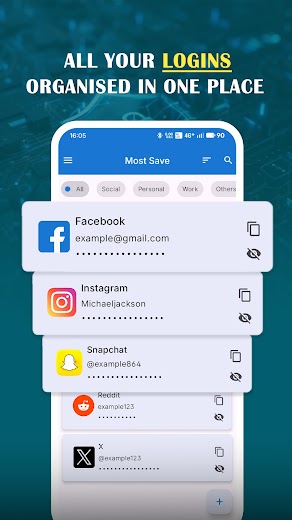
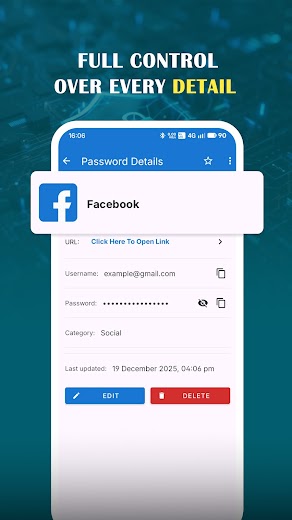
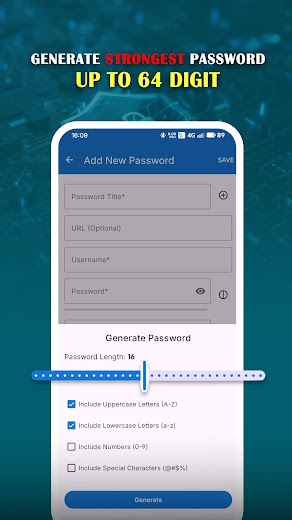
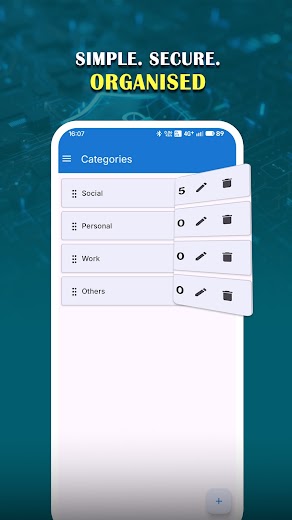
Core Features
- Unlimited password storage
- Support for usernames, passwords, notes, and URLs
- Instant search & Favorites
- Password strength check
- Duplicate and weak password detection
- Biometric Unlock & Auto-lock
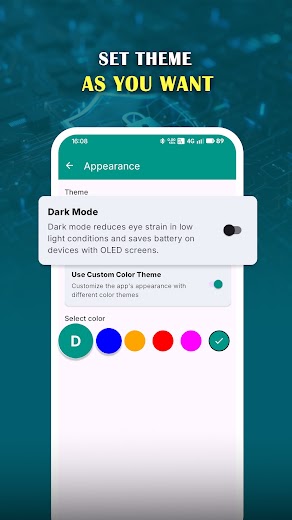
- Light and dark mode themes
- Encrypted Backup Options
Privacy Commitment
MostSave is built with one goal: secure, private, and dependable password protection without online risk or dependency.
Frequently Asked Questions
Is my password data stored on your servers?
No. MostSave is 100% offline. We do not have any servers, and your data never leaves your device. Everything is stored locally in an encrypted database that only you can access.
Is the app really free? Are there ads?
Yes, MostSave is Free Forever. There are no ads, no subscriptions, and no hidden premium upgrades. All features, including unlimited storage and biometric unlock, are free for everyone.
How is my data secured?
We use industry-standard SQLCipher (AES-256) encryption. Your master password is never stored in plain text. We also provide extra security layers like Biometric Unlock, Auto-Lock on idle, and Clipboard auto-clear.
Can I backup my passwords?
Yes. While MostSave is offline by default, we offer an optional Encrypted Backup feature to Google Drive for users who want cloud redundancy. You can also export your data manually to transfer fast between devices.
What if I forget my Master Password?
Since we are a zero-knowledge offline app, we cannot reset your password. Your master password is the only key to decrypt your data. We strongly recommend writing it down in a safe offline location.
Does the app require an internet connection?
No. MostSave works completely without an internet connection. It does not track usage analytics or send data to third parties.
Download MostSave Today
Take control of your privacy with the most secure offline password manager.